
Insights
Responsive Web Design in India

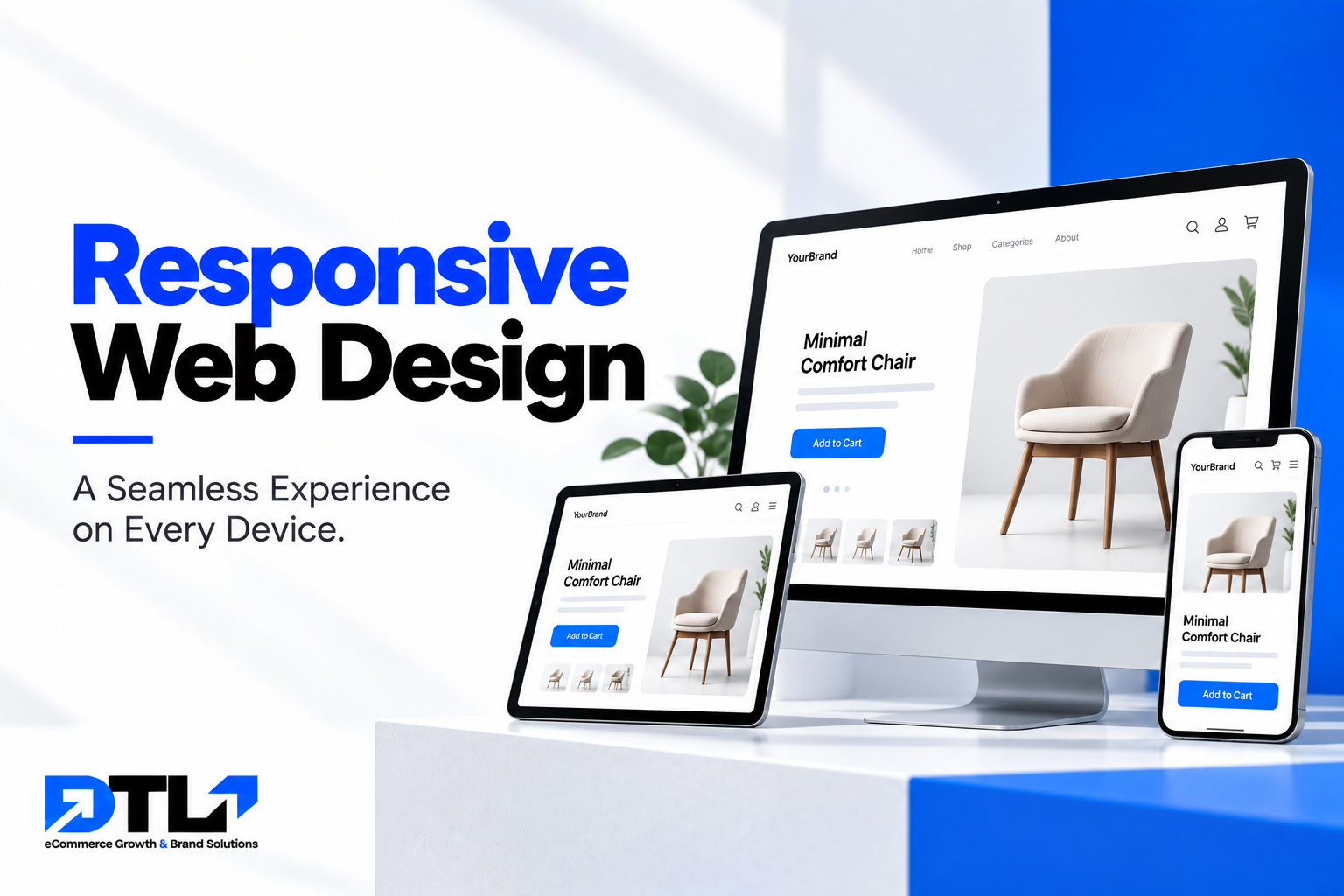
Responsive Web Design in India: Why Your Website Must Work on Every Device
Responsive Web Design focuses on creating websites that automatically adapt to different screen sizes and devices while maintaining usability, readability, functionality, and visual consistency.
For businesses building a new website or redesigning an existing one, responsive design should not be treated as an optional feature. It should be part of the website’s foundation.
DTLJodhpur’s current web development offering specifically includes responsive web design, with an emphasis on mobile-focused websites that work across different devices and browsers. (dtljodhpur.com)
What Is Responsive Web Design?
Responsive Web Design is an approach to website development where the layout and content of a website adapt to the screen size and device being used. Instead of creating completely separate websites for desktop, tablet, and mobile users, a responsive website uses flexible layouts and design techniques so that the same website can adjust according to the available screen space.
For example, a desktop website may display several sections side by side. On a smartphone, those same sections can automatically stack vertically. Images can resize. Navigation can change into a mobile menu. Columns can become single sections. Buttons can adjust to make them easier to tap. The objective is to provide a usable experience regardless of the device.
Why Is Responsive Web Design Important?
The website experience directly affects how people interact with a business online. If visitors have difficulty reading content, clicking buttons, opening menus, or finding information, they may leave the website. Responsive design helps businesses create a more consistent experience across devices.
It can help users:
- Read website content comfortably
- Navigate pages more easily
- View images correctly
- Complete forms
- Contact the business
- Browse products
- Make purchases
- Access important information
The goal is simple: your website should work for your customers, regardless of how they access it.
Mobile Users Have Changed Website Design?
Smartphones have changed the way people interact with businesses. A customer may search for a service while travelling, compare products while sitting at home, check business information from a phone, or contact a company immediately after discovering it online. This means businesses cannot assume that visitors will experience their website on a desktop. A mobile visitor has different practical requirements.
They need:
- Readable text
- Easy navigation
- Touch-friendly buttons
- Properly sized images
- Simple forms
- Fast access to important information
Responsive Web Design addresses these requirements by adapting the website interface to smaller screens.
Responsive Design vs. Non-Responsive Design
The difference becomes obvious when the same website is viewed on different devices.
A non-responsive website may require mobile users to:
- Zoom in
- Scroll horizontally
- Search for tiny buttons
- Navigate difficult menus
- Read very small text
- Deal with overlapping content
A responsive website adjusts the interface automatically.
For example:
Desktop: Three-column layout
Tablet: Two-column layout
Mobile: Single-column layout
This allows the website to preserve its content while changing the way that content is presented.
Responsive Web Design Improves User Experience
User experience, often called UX, refers to how people interact with a website. Good UX means visitors can complete tasks without unnecessary difficulty. Imagine a customer wants to contact your company. On desktop, they may see a prominent contact button in the navigation. On mobile, that button needs to remain accessible without taking up the entire screen. Similarly, if a customer wants to purchase a product, product information, images, variants, cart functionality, and checkout all need to work properly on smaller screens. Responsive design helps create this continuity. The customer should not feel like they are using a completely different or broken version of the website.
Flexible Website Layouts
One of the fundamental principles of responsive design is flexibility.
A website should not rely on fixed dimensions that only work for one screen size.
Instead, layouts can use flexible widths, grids, containers, and spacing so that content can adapt to available space.
For example, a section that occupies half the screen on desktop may occupy the full width on mobile.
This flexibility allows the website to accommodate different devices without requiring separate designs for every possible screen size.
Responsive Images and Media
Images are an important part of modern websites.
They communicate products, services, brands, locations, people, and ideas.
However, large images designed for desktop screens may not display properly on mobile devices.
Responsive design allows images to adapt to the available screen width.
Businesses should also consider image optimization.
Large, unoptimized images can increase page loading time, particularly on mobile connections.
Good responsive development therefore considers both:
How the image looks and How efficiently the image loads.
Mobile-Friendly Navigation
Navigation is one of the most important elements of responsive website design.
Desktop websites often have enough horizontal space for large navigation menus. Mobile screens do not.
Responsive websites therefore commonly use mobile navigation patterns such as expandable menus or menu icons.
The important point is not simply to hide the desktop menu.
The mobile navigation should remain easy to understand and use.
Users should be able to reach important pages without excessive tapping.
Depending on the website, the navigation may include:
- Home
- About
- Services
- Products
- Portfolio
- Blog
- Contact
The exact structure should reflect the business and its customers.
Touch-Friendly Buttons
Desktop users normally interact with websites using a mouse or trackpad.
Mobile users interact using their fingers.
This creates a different design requirement.
Buttons and interactive elements need sufficient size and spacing so users can tap them comfortably.
Small links placed too close together can cause accidental clicks and create frustration.
Responsive Web Design therefore considers the physical interaction method as well as the screen size.
Important actions such as:
- Contact
- Buy Now
- Add to Cart
- Submit
- Call
- Enquire
should be easy to identify and use.
Readable Typography on Every Screen
Typography can change significantly between desktop and mobile.
Large headings that look balanced on a desktop monitor may occupy too much space on a smartphone.
Small body text may become difficult to read.
Responsive design allows typography to adapt according to screen size.
Important considerations include:
- Font size
- Line height
- Letter spacing
- Heading hierarchy
- Paragraph width
- Text spacing
The objective is to make content comfortable to read without requiring visitors to zoom.
Responsive Forms
Forms are commonly used for:
- Contact enquiries
- Quote requests
- Newsletter subscriptions
- Appointment bookings
- Customer registrations
- Feedback
A form that works well on desktop can become frustrating on mobile if fields are too small or poorly arranged.
Responsive forms should provide:
- Clearly labelled fields
- Appropriate input sizes
- Logical spacing
- Easy-to-use buttons
- Minimal unnecessary fields
- Clear error messages
The shorter and clearer the form, the easier it can be for customers to complete.
Responsive eCommerce Websites
Responsive design becomes particularly important for eCommerce websites.
Customers may browse products from smartphones while commuting, during a break, or at home.
A mobile eCommerce experience should allow users to:
- Browse categories
- Search products
- Filter products
- View product images
- Read descriptions
- Select variants
- Add products to cart
- Review cart contents
- Complete checkout
If any of these stages become difficult on mobile, the business may lose potential sales.
For this reason, responsive design is a fundamental consideration for modern online stores.
Responsive Shopify Websites
Shopify stores also need to provide a strong mobile experience.
A Shopify theme may be responsive by default, but businesses still need to check how their actual content appears.
For example:
- Product images
- Collection layouts
- Promotional banners
- Navigation
- Product descriptions
- Buttons
- Reviews
- Pop-ups
can all affect the mobile experience.
Customizations and third-party apps should also be tested because they can sometimes introduce mobile usability problems.
Responsive Web Design and SEO
Responsive design can also support search engine optimization.
Search engines need to understand and access your website’s content efficiently.
A mobile-friendly website can provide a more consistent experience for users accessing the same website from different devices.
Responsive design also simplifies website management because businesses generally maintain one website rather than separate desktop and mobile versions.
SEO-friendly responsive development can include:
- Mobile-friendly layouts
- Proper heading hierarchy
- Optimized images
- Logical navigation
- Search-friendly URLs
- Fast-loading pages
- Useful content
- Internal linking
Responsive design alone does not guarantee search rankings, but it forms an important part of a modern website’s technical and user experience foundation.
Responsive Design and Website Speed
A website can be responsive and still be slow.
These are two different considerations.
Responsive design ensures the website adapts to different screens.
Performance optimization focuses on how efficiently the website loads and operates.
Both matter.
A mobile visitor may be using a slower network connection than a desktop user.
Large images, unnecessary scripts, excessive animations, and poorly optimized resources can increase loading time.
A professional responsive website should therefore consider:
- Image optimization
- Efficient code
- Hosting
- Browser caching
- Third-party scripts
- Font loading
- Media optimization
The goal is to deliver the necessary content without unnecessary technical weight.
Responsive Design for Local Businesses
Local businesses often receive customers through search engines, social media, maps, referrals, and local advertising.
A potential customer may search for a business from their smartphone while they are already near the location.
The website should make important information easy to access.
This can include:
- Phone number
- Address
- Opening hours
- Services
- Directions
- Contact form
- Business information
A mobile-friendly website can make it easier for a visitor to move from online discovery to real-world action.
Responsive Design for Service Businesses
Service businesses depend heavily on enquiries.
A customer may visit a website to understand:
- What services are available
- How the process works
- What the company specializes in
- Why they should choose the business
- How to get in touch
Responsive design ensures that these important elements remain accessible on smaller screens.
Service pages should be easy to scroll through, headings should be readable, and contact options should remain visible and convenient.
Responsive Design for Corporate Websites
Corporate websites often contain substantial amounts of information.
They may include:
- Company information
- Services
- Industries
- Leadership
- Projects
- Case studies
- Careers
- News
- Contact information
A responsive corporate website needs to organize this information without overwhelming mobile users.
Content hierarchy becomes particularly important.
Important information should appear in a logical order, while secondary information can be placed further down the page.
Responsive Design for Content and Blogs
Blogs and content websites also need responsive layouts.
Readers may access articles from smartphones through search results or social media.
A responsive article should provide:
- Readable text
- Comfortable line spacing
- Clear headings
- Proper image sizing
- Easy scrolling
- Simple navigation
If readers struggle to consume content on mobile, they may leave before finishing the article.
Responsive design therefore contributes to the overall content experience.
Responsive Web Design and Conversion
A website’s primary goal may be different depending on the business.
It could be:
- Generating enquiries
- Selling products
- Getting calls
- Booking appointments
- Collecting leads
- Building awareness
Regardless of the goal, responsive design should make the desired action easy to complete.
For example, a service business may need a visible enquiry button.
An eCommerce business may need a clear Add to Cart button.
A local business may need an easy-to-tap phone number.
The responsive experience should preserve these conversion opportunities across devices.
Testing a Responsive Website
Responsive development should always include testing.
A website should be checked across different screen sizes and browsers.
Testing can identify issues such as:
- Text overlapping
- Images extending beyond the screen
- Broken navigation
- Buttons being too small
- Forms not working correctly
- Content disappearing
- Horizontal scrolling
- Slow-loading elements
Testing should not happen only after launch.
Developers and designers should review responsive behavior throughout the development process.
Common Responsive Web Design Mistakes
- Designing Only for Desktop
Creating a desktop design first and treating mobile as an afterthought can result in a poor mobile experience.
- Making Everything Smaller
Responsive design does not mean simply shrinking desktop content. The layout often needs to change.
- Using Tiny Buttons
Interactive elements should be easy to tap.
- Ignoring Content Hierarchy
Mobile screens have limited space, so important information needs to be prioritized.
- Using Oversized Images
Large images can negatively affect performance.
- Adding Too Many Pop-Ups
Pop-ups that dominate a mobile screen can interrupt the user experience.
- Ignoring Forms
Contact and enquiry forms need to be designed specifically for mobile interaction.
- Not Testing Real Devices
A website can appear correct in a design preview but behave differently on actual devices.
How to Choose a Responsive Web Design Company?
When selecting a Responsive Web Design Company, businesses should evaluate more than visual appearance.
Review Previous Websites
Look at previous projects on both desktop and mobile.
Check whether:
- Navigation works properly
- Text is readable
- Images adapt correctly
- Buttons are easy to use
- Pages remain organized
Why Choose DTLJodhpur for Responsive Web Design?
DTLJodhpur currently lists Responsive Web Design as a dedicated web development service. Its service description emphasizes mobile-focused websites designed to work across different devices and browsers. (dtljodhpur.com)
The current service offering also connects responsive web design with eCommerce web design, SEO, digital marketing, hosting, website content, payment gateway integration, and CRM integration. (dtljodhpur.com)
This broader approach is useful because responsive design rarely exists in isolation. A business website may need to support marketing, lead generation, online sales, search visibility, customer communication, and other digital activities. The website therefore needs to work as a complete digital asset.
Building a Website That Works Everywhere
Responsive Web Design is no longer simply about making a website look acceptable on a smartphone. It is about creating a consistent and usable experience across the devices customers actually use. A responsive website should allow visitors to read content, navigate pages, view products, submit forms, contact businesses, and complete important actions without unnecessary friction.
Make Your Website Work on Every Screen — Talk to DTLJodhpur Today.
Contact: info@dtljodhpur.com |